
Crypto purchase
Demonstrate a clear purchase journey without processing real payments.
Prediction markets inside Guarda.
Powered by 
Access a non-custodial wallet interface from a browser. Verify the domain and understand the risks of entering wallet credentials on an internet-connected device.

A web wallet is accessed through a browser and presents account activity, supported assets and common actions in one interface. Use only the verified official application; this marketing site does not collect wallet passwords, private keys or recovery phrases.
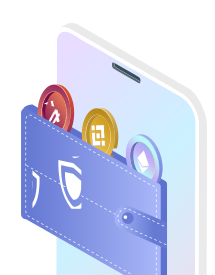
Layout for 70+ blockchains and more than 1M supported tokens.
Demonstrate a clear purchase journey without processing real payments.
Show swap controls, quotes and transaction states as a visual prototype.
Present supported networks and estimated rewards in the interface.
The web wallet is the zero-installation entry point: open it in any modern browser and manage 1M+ tokens without downloading anything. It is perfect for checking a portfolio from a borrowed computer or trying Guarda before committing to an install.
Convenience comes with one rule — browsers are less isolated than apps, so the web wallet is best for everyday amounts while long-term savings belong in the desktop or mobile app. Keys are still generated locally and never sent to any server.
For trading and DeFi sessions, pair the web wallet with the browser extension: one click connects to marketplaces and protocols while approvals stay visible and revocable.
No — the web wallet runs entirely in the browser with nothing to download.
For viewing, yes. Avoid creating new wallets or entering recovery phrases on devices you do not trust.
Any modern Chrome, Brave, Firefox, Edge or Safari release from the last two years.
Yes — import the same recovery phrase into desktop or mobile and continue seamlessly.
No real funds, keys or wallet credentials are accepted.